Archive Lens: an ongoing archive catalogue for historical photographs
An ongoing Google Drive archive tool that turns scanned historical photos into searchable catalogue records through OCR, review, and clear source-file boundaries.
Problem
A friend collects and researches old photographs. Over time that became a large Google Drive library of scanned images, but the archive itself was difficult to use.
The files were there, but the knowledge around them was scattered. If she wanted to find every photo connected to London, a studio, a date, or a person, there was no simple way to search across the collection.
So the problem was not photo storage. Google Drive already handled that. The missing layer was a catalogue: a way to connect images, OCR text, research notes, dates, places, people, and review state in one searchable system.
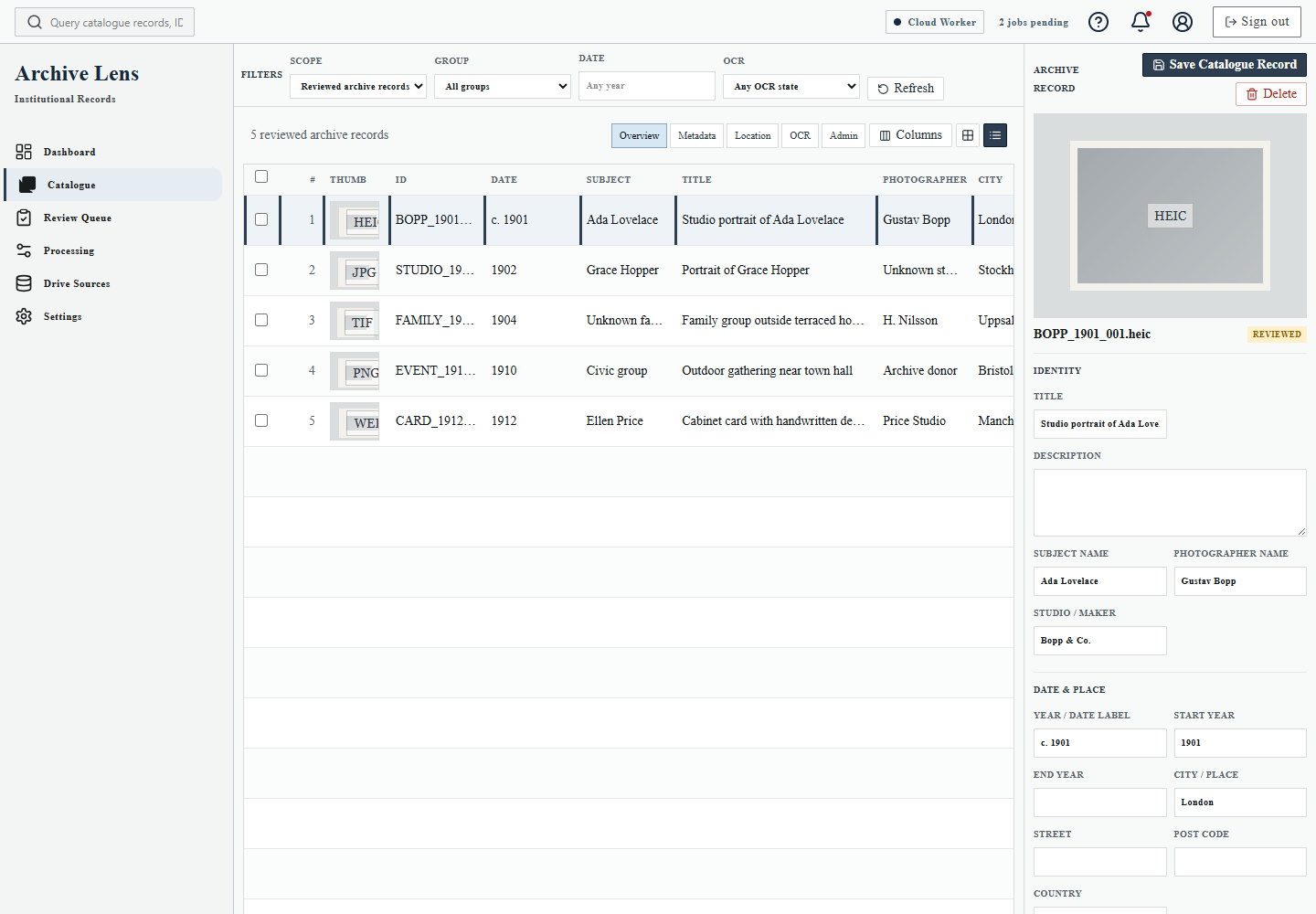
Early attempts
The first direction was more local. I tested local OCR extractors and a local worker flow, because that kept processing close to the files and seemed resourceful.
That was useful for learning, but not good enough for the real workflow. The OCR quality was inconsistent, and the setup was too technical for the person who actually needed the tool. I could have kept pushing toward a Windows app, but that felt like the wrong thing to build at this stage.
The project moved toward a hosted web flow instead: login, connect Drive, queue files, review output, and search the catalogue without asking a nontechnical user to install and operate local services.
The product rule
The main rule is that originals stay in Google Drive.
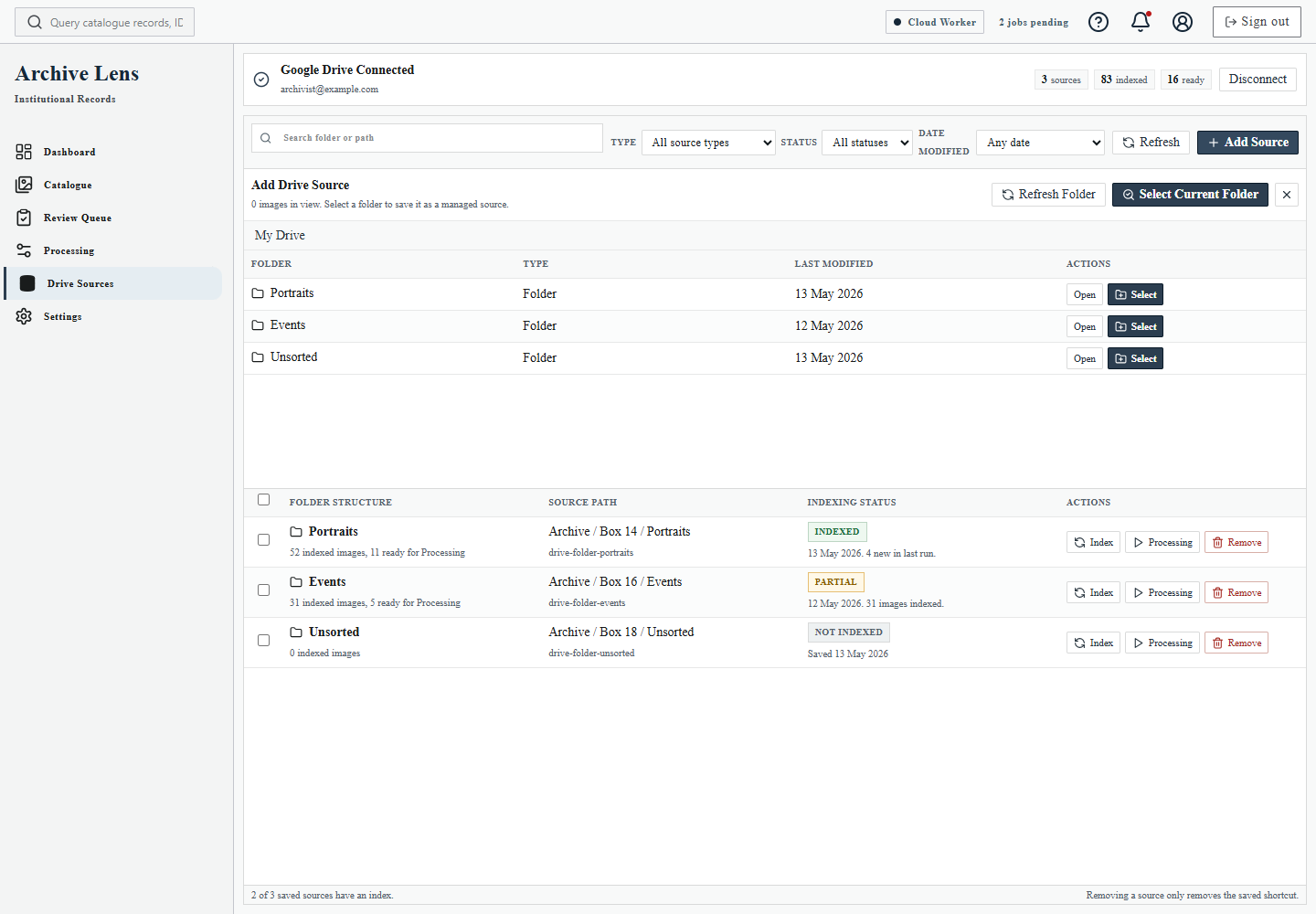
Archive Lens does not try to become a replacement storage system. It indexes Drive folders and files, creates derived previews and thumbnails, runs OCR, and stores catalogue knowledge about the originals.
That boundary matters. The app can store Drive IDs, paths, OCR text, suggestions, tags, approved metadata, processing events, exports, and review state. The full-resolution source files remain in the user's Drive.
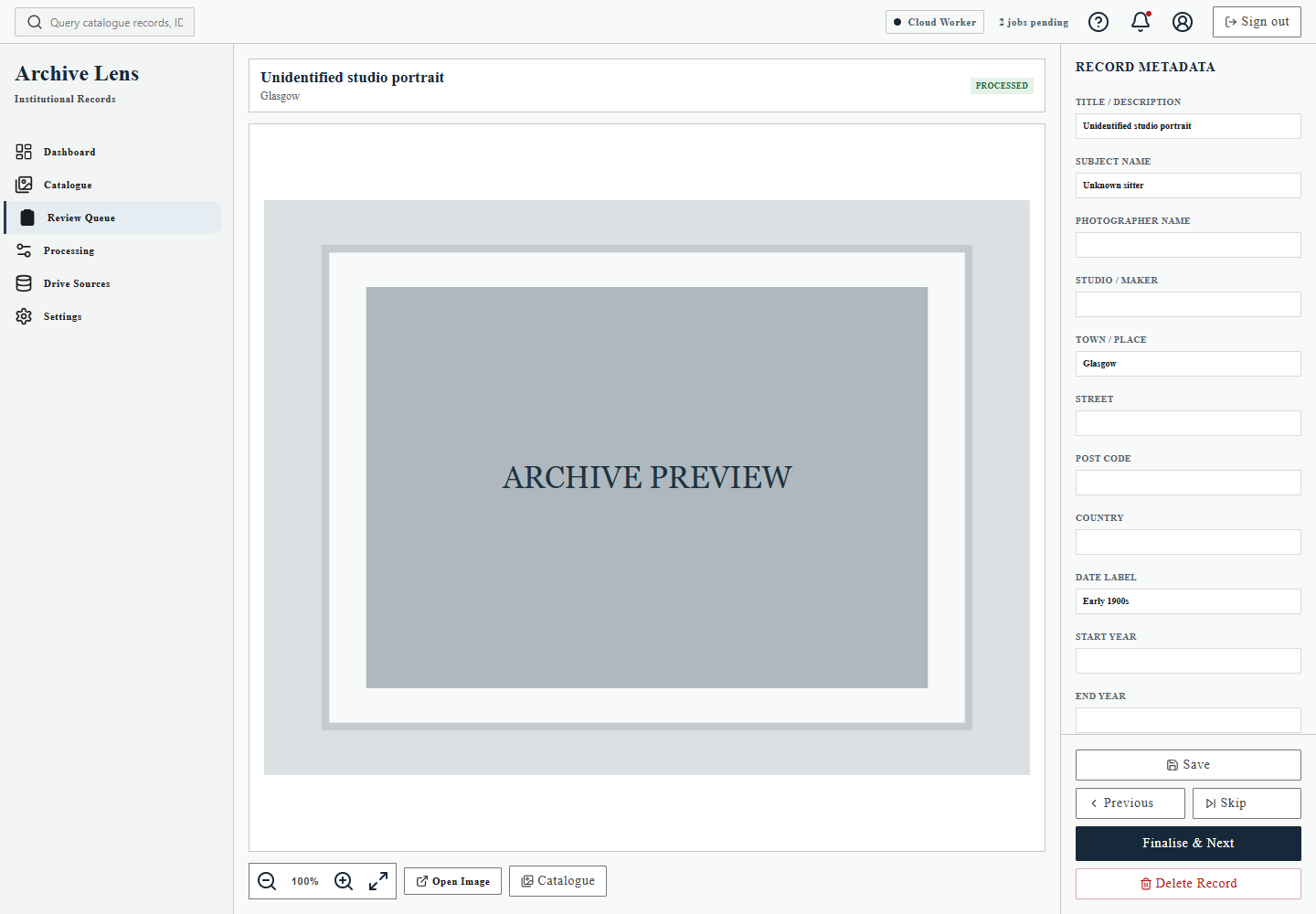
Machine output is help, not authority. OCR can suggest text, dates, places, names, and studio information, but approved metadata changes only when a person accepts or edits it.
What I built
The current hosted MVP supports the main archive workflow:
- connect Google Drive
- browse and index folders
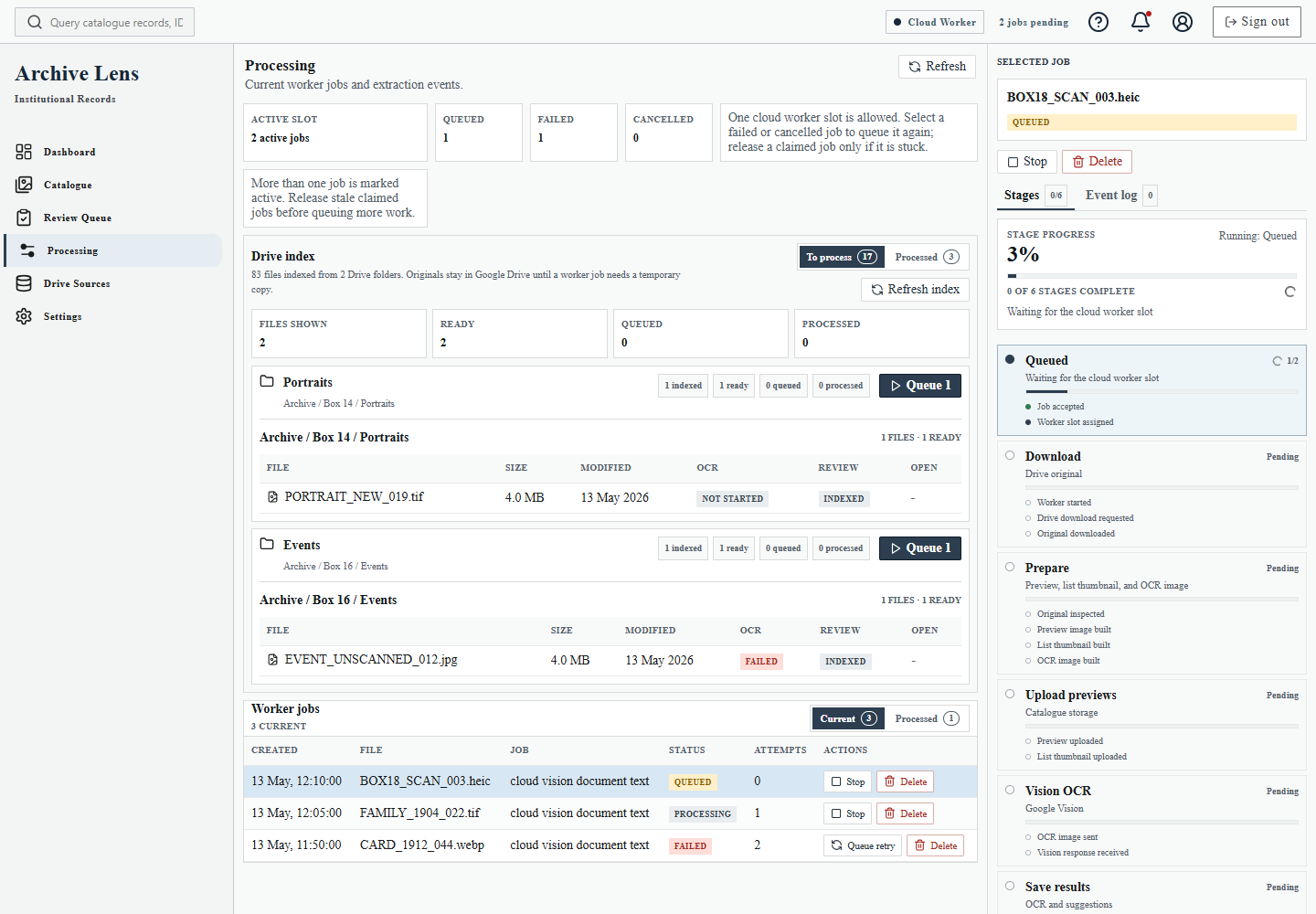
- queue images for processing
- temporarily process originals through a Cloud Run worker
- generate previews, thumbnails, and OCR input
- run Google Cloud Vision OCR
- review extracted text and suggestions
- approve or edit catalogue metadata
- move finalised records into the searchable Catalogue
The stack is React and Vite on the frontend, FastAPI for the API, Supabase Postgres and Auth, private Supabase Storage for derived assets, Cloud Run for processing, and Google Cloud Vision for OCR.
The older local-worker route still exists as reference, but it is no longer the intended MVP path. The product needed to become something a person could use through a browser, not something they had to install and maintain.
The to-process view keeps indexed Drive files separate from OCR work, so the user can decide what to queue and when.
Flow diagrams
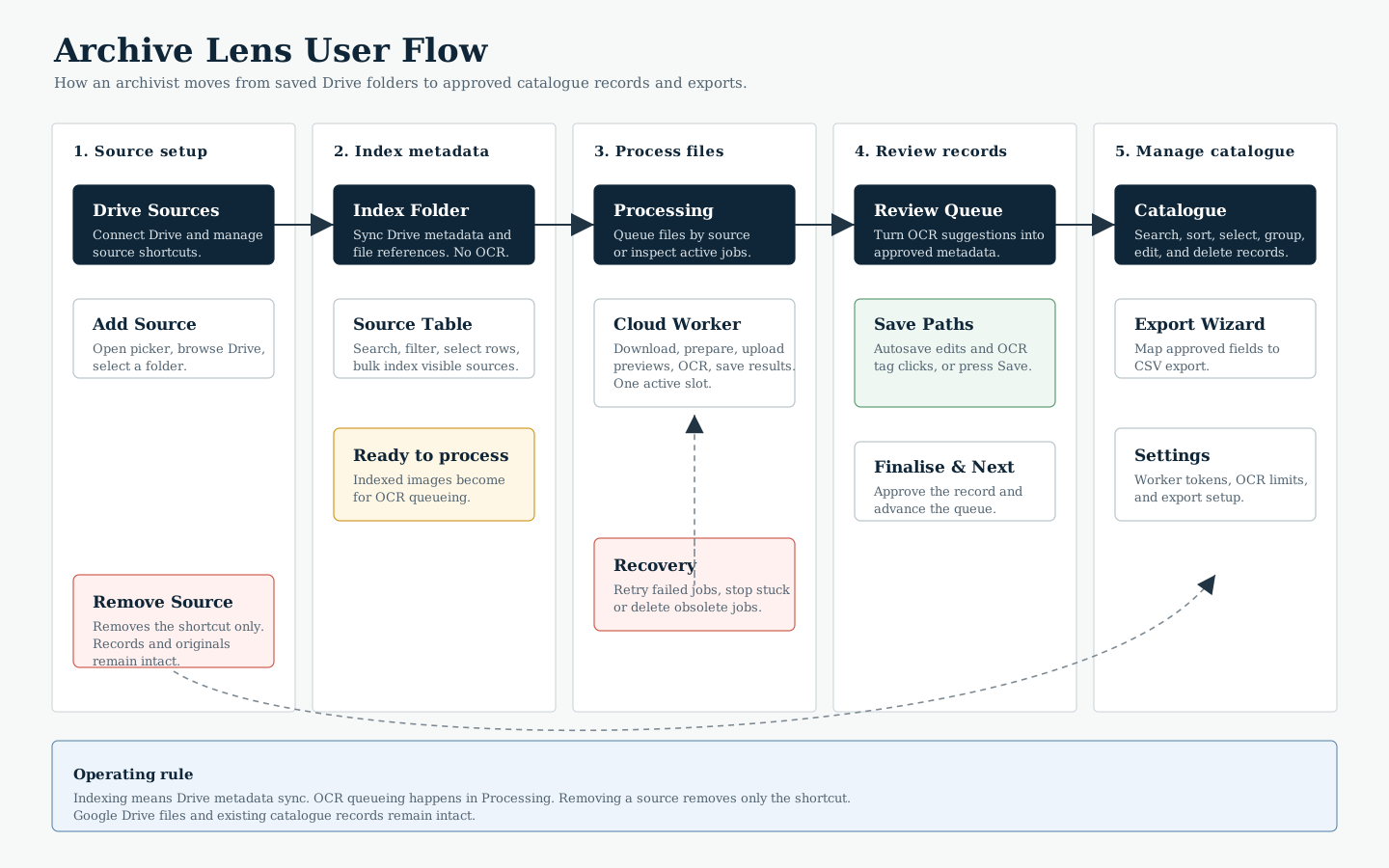
As the project became more operational, the flow became easier to explain visually than in another long paragraph.
The user flow shows the intended path through the product: connect Drive, index source folders, queue processing, review OCR output, and manage reviewed records in the Catalogue.
Constraints
The project also had to be resourceful. While the workflow is still being discovered, the default assumption is to lean on free or low-cost services, then pay for Vision OCR and processing power only when the system proves useful enough to justify it.
That shaped the implementation. There are monthly OCR caps, temporary worker downloads, derived asset storage instead of original image storage, and a clear split between indexing Drive files and actually processing them.
This is partly a cost decision and partly a product decision. A historical archive can get large quickly. The system needs to let the user control when processing happens and understand what is happening.
Setup and settings
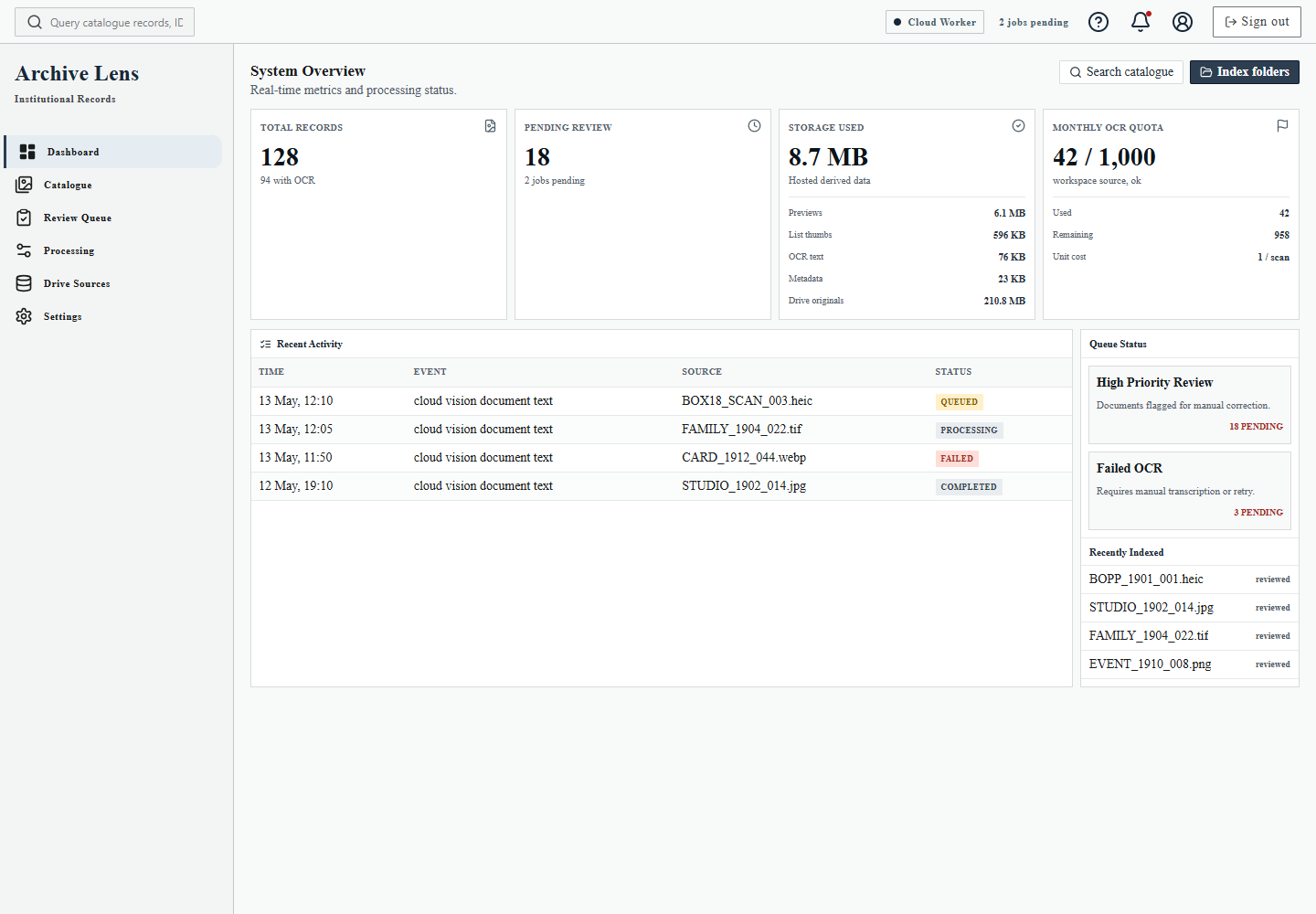
The hosted workflow also needs setup surfaces that are understandable without becoming a separate technical project for the user.
Drive connection, worker behaviour, OCR configuration, and export options are visible as ordinary product settings rather than hidden implementation details.
Drive Sources is where the user connects archive folders without moving originals out of Google Drive.
Ongoing discovery
This is still an ongoing project. The next important work is not only more code; it is sitting with the user, watching how she actually reviews photos, and seeing where the flow feels unnatural.
The UI and UX are challenging because archive work has many small judgement calls. A date might be partial. A name might be a subject, a photographer, or a studio. OCR can produce fragments that are useful but messy. Photos may need to be grouped by place, period, folder, or research theme.
Those are not details I want to guess my way through. The review workspace, catalogue table, grouping, search, and export flow should improve through observation and use.
What I learned
This project made the difference between an AI feature and a usable workflow very obvious.
OCR is useful, but only when the rest of the system respects the archive work around it: uncertain text, old handwriting, partial dates, duplicate places, names that need checking, and research that improves over time.
The important part was not just getting machine text into a database. It was designing a review loop around human judgement, privacy, source-of-truth boundaries, cost control, and the practical reality of someone trying to make sense of a large historical photo collection.